
Adb Wake Up1.0 - Google Play
You'll be able to see results in few seconds.
Publisher Description
Enjoy millions of the latest Android apps, games, music, movies, TV, books, magazines & more. Anytime, anywhere, across your devices.
# What Adb Wake Up Does?
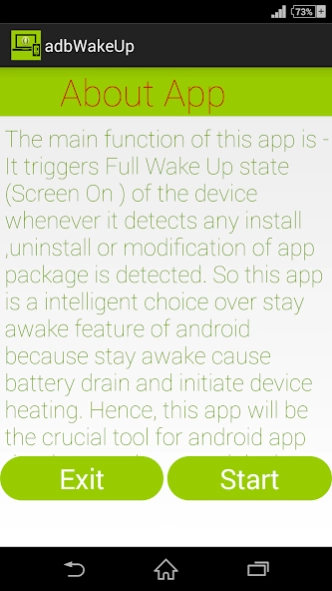
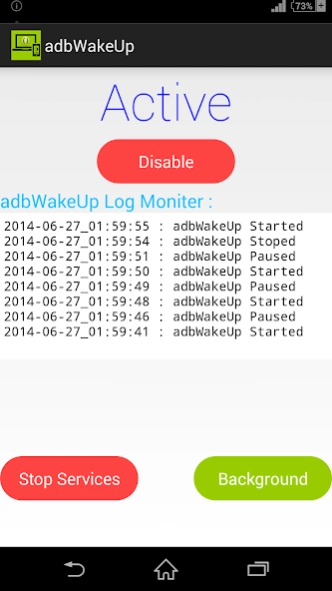
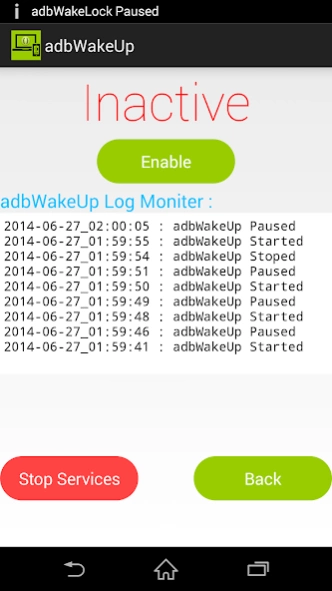
The main function of this app is :"It triggers full wake up (Screen on ) state for short interval of the device ,whenever it detects install, uninstall or modification of any Application Package. And also makes a temporary log of these activities with respect to time".
# Who & Why use this app?
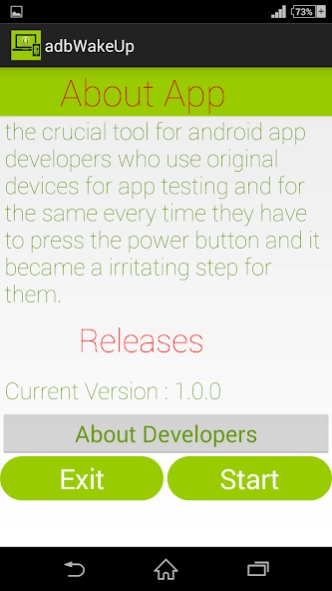
This app is primarily for android application developers who when test their apps on real devices through adb.
You may use this app when you going to install many App packages instantaneously while switching Roms or after factory /Full reset to just make sure about the apps which you just installed just by a quick sneak peaks of Adb Wake Up Logs.
So next thing is why you use this app , answer is quiet simple at the time of app development it is the basic requirement that app component should work smoothly ,app is installed and modified various time on devices various times and hence for testing every time device is unlocked manually (by pressing unlock key) .After repeating this procedure various time this step becomes lousy and irritating. alternatively you can enable STAY AWAKE feature but unfortunately this step put your phone on wake up state and results in Battery Drain **(power from system USB is not sufficient for the devices of higher mAh) and device Heating.
For the ultimate solution Adb Wake Up steps up and do all of your job automatically and of course it will not cause battery drain and device heating.
**High end devices screen consumes more battery and Power from USB is not sufficient in STAY AWAKE mode.
Main Features-
1: Wake's your device up when you need it .
2: Gives you short history (Logs) of your install,uninstall & modification.
3: Prevents Battery Drain
4: Prevents Device Heating
About Adb Wake Up
The company that develops Adb Wake Up is Interceptor Lab. The latest version released by its developer is 1.0.
To install Adb Wake Up on your Android device, just click the green Continue To App button above to start the installation process. The app is listed on our website since 2014-06-27 and was downloaded 0 times. We have already checked if the download link is safe, however for your own protection we recommend that you scan the downloaded app with your antivirus. Your antivirus may detect the Adb Wake Up as malware as malware if the download link to com.playfulgeeks.adbwakeup is broken.
How to install Adb Wake Up on your Android device:
- Click on the Continue To App button on our website. This will redirect you to Google Play.
- Once the Adb Wake Up is shown in the Google Play listing of your Android device, you can start its download and installation. Tap on the Install button located below the search bar and to the right of the app icon.
- A pop-up window with the permissions required by Adb Wake Up will be shown. Click on Accept to continue the process.
- Adb Wake Up will be downloaded onto your device, displaying a progress. Once the download completes, the installation will start and you'll get a notification after the installation is finished.
Program Details
System requirements
Download information
Pricing
Version History
version 1.0
posted on 2014-06-27
Disclaimer
Official Google Play Link
We do not host Adb Wake Up on our servers. We did not scan it for viruses, adware, spyware or other type of malware. This app is hosted by Google and passed their terms and conditions to be listed there. We recommend caution when installing it.
The Google Play link for Adb Wake Up is provided to you by apps112.com without any warranties, representations or guarantees of any kind, so access it at your own risk.
If you have questions regarding this particular app contact the publisher directly. For questions about the functionalities of apps112.com contact us.
